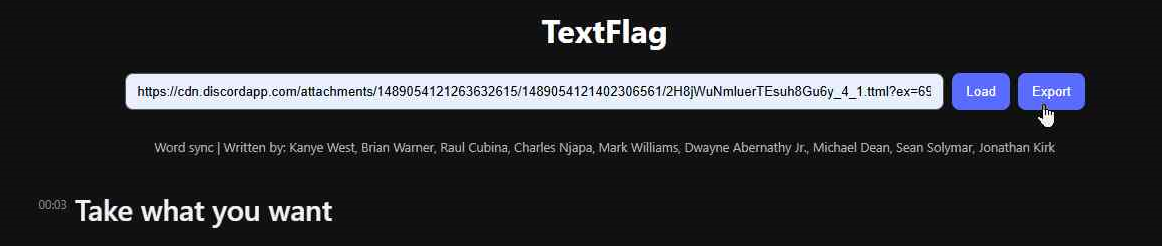
Step one: Get your TTML ready. You can either paste a direct URL to a TTML file or upload a local TTML file. The direct URL option is provided for reviewers who prefer to link directly to files sent in #ttml-uploads.
Open secret for the power users: Appending ?src= and then the link to the TTML file to the URL will allow it to load as soon as the page is opened.
Step two: Paste the link into the input field and click Load. Alternatively, if you have the file saved to your system, click Load without providing a URL to upload it. All processing is done on your machine. This isn't a scheme to steal your syncs.

Step three: The lyrics in the TTML file will be displayed in the main content area. The songwriter credits will show as well, if they exist. The red pipe characters between words (|) represent syllable splits.
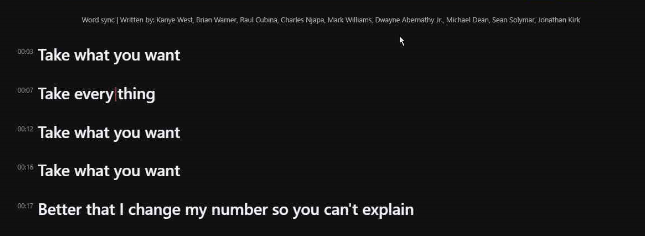
Step four: Select the section that you had an issue with and click the "Raise Flag" button. This will be one single line for the sake of keeping it simple, but you can flag multiple lines at once, or individual words within one line.

Step five: A new window will pop up. Select the "template" (complaint type) that best fits your issue, and elaborate on how it can be fixed in the "Notes" section. Save your flag.
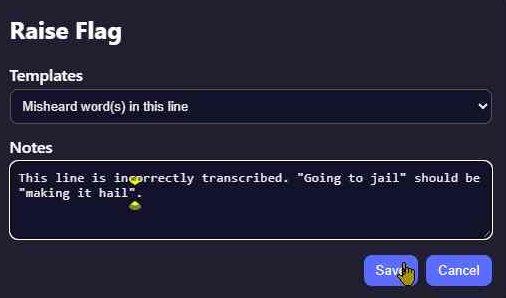
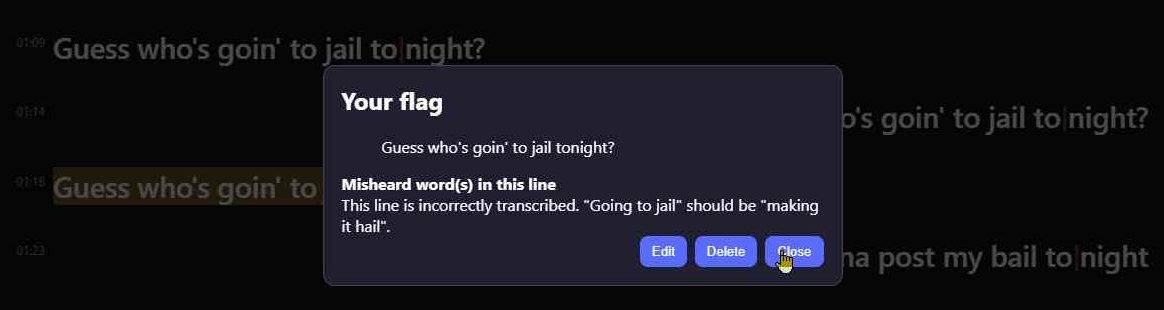
Step six: Repeat as many times as necessary. You can also edit or delete existing flags at any time by clicking the highlighted text.

Step seven: Once you are finished, scroll back up to the top of the page and click Export. This will copy a list of your flags, including all lyrics and timestamps, to the clipboard in Markdown format.
Step eight: Paste the exported flags into a message on Discord. It's that stupid simple.
